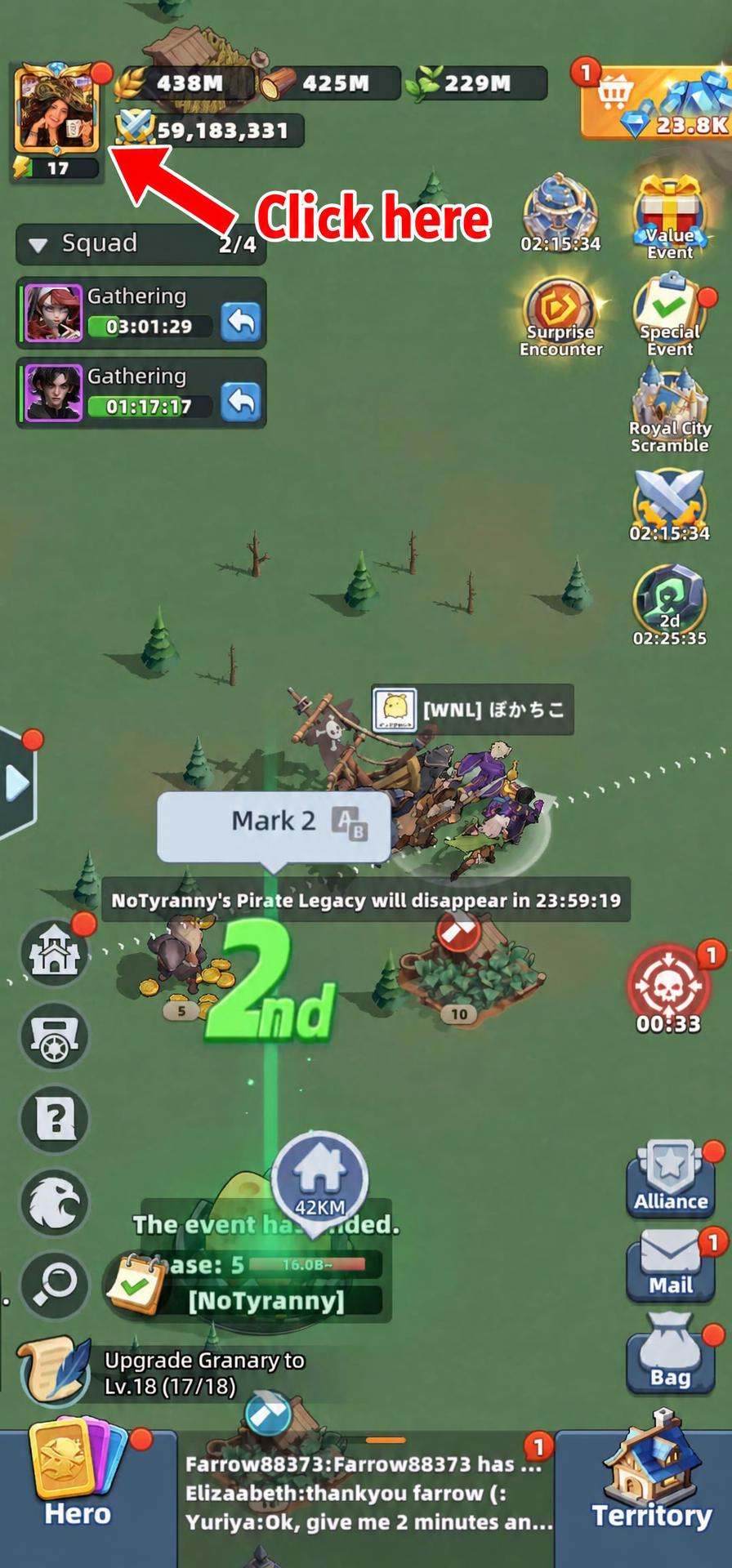
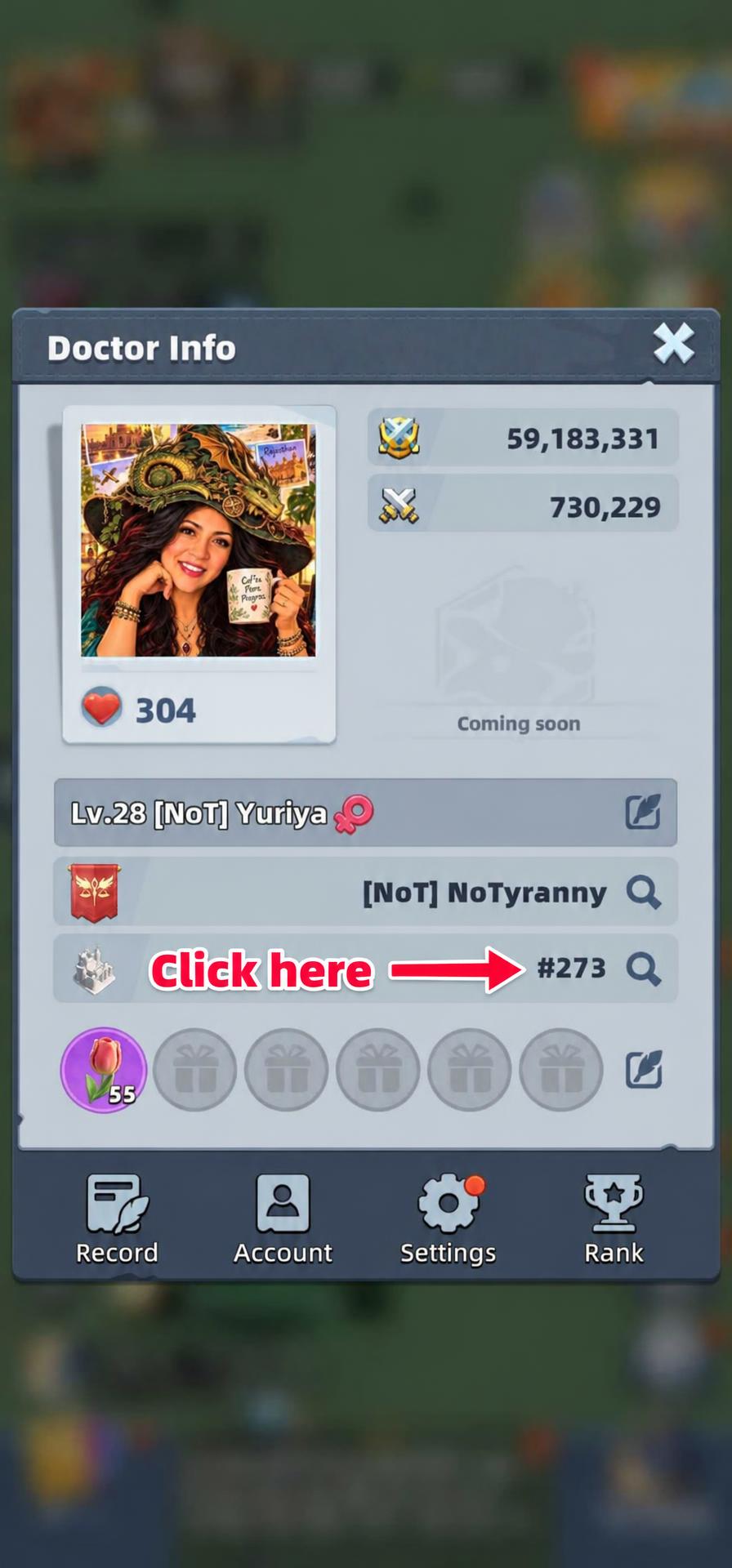
1–2. Open your profile, then your server
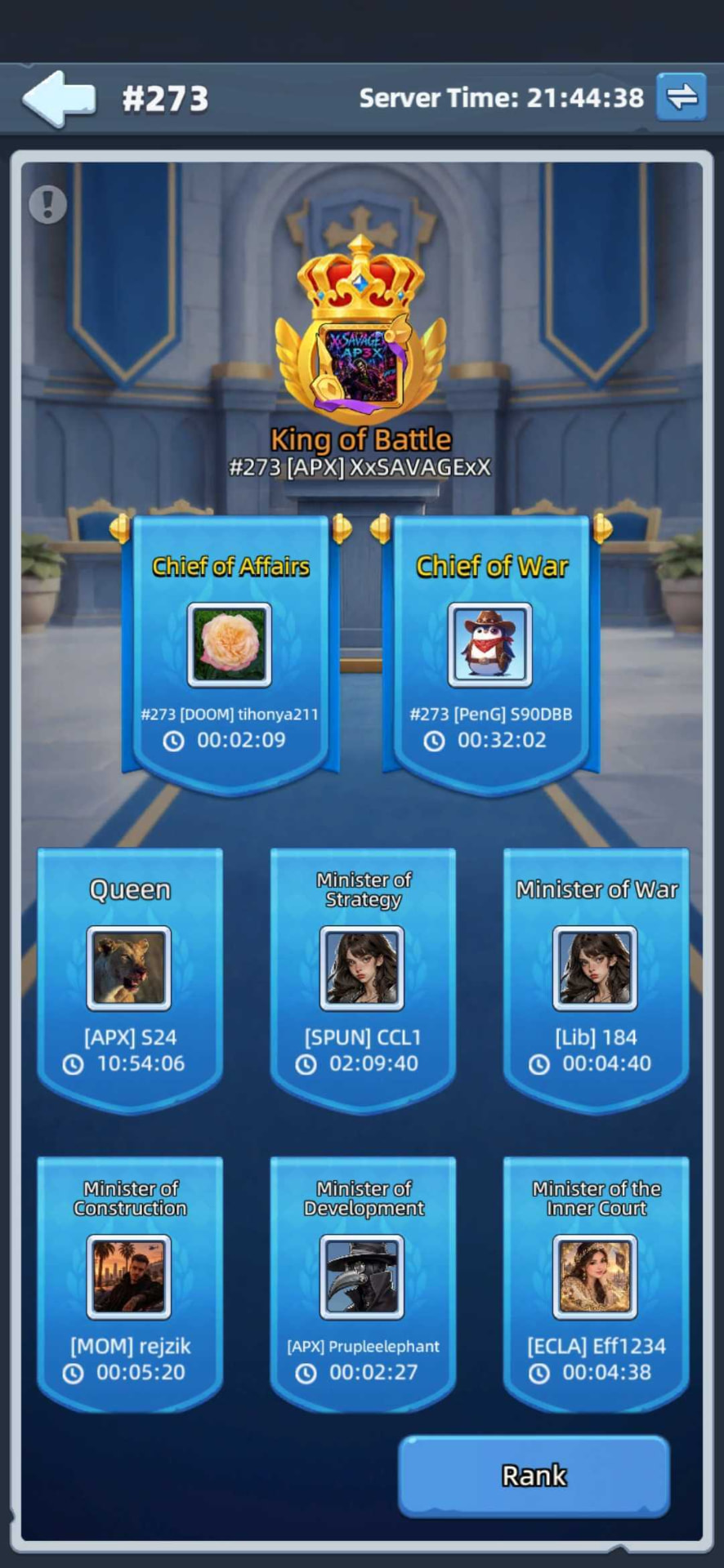
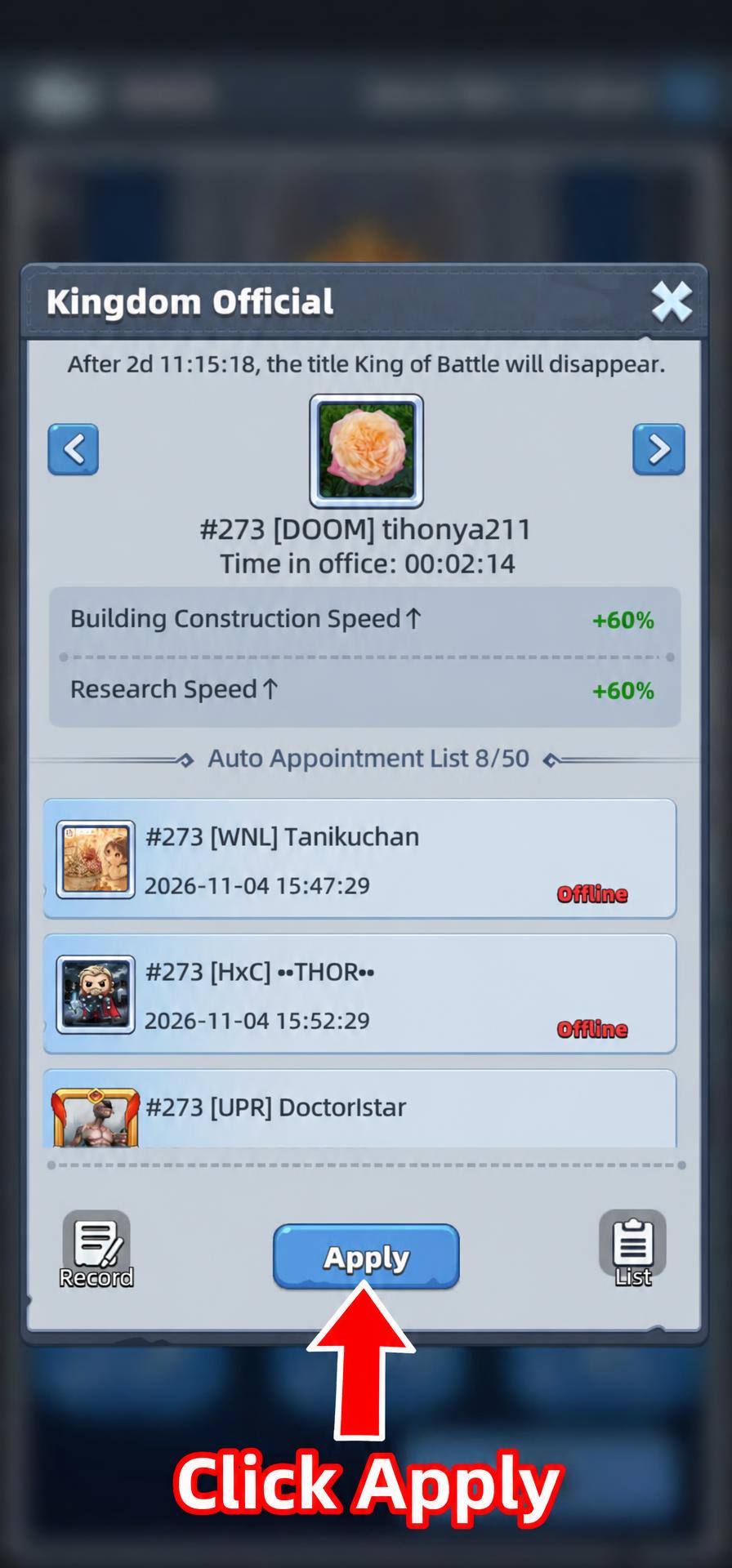
3–4. Choose a position and apply
5. Check your appointment time
- Your expected appointment time appears at the bottom after you apply. The circled time is an example from this screenshot, not your own appointment: check the time shown in your game.
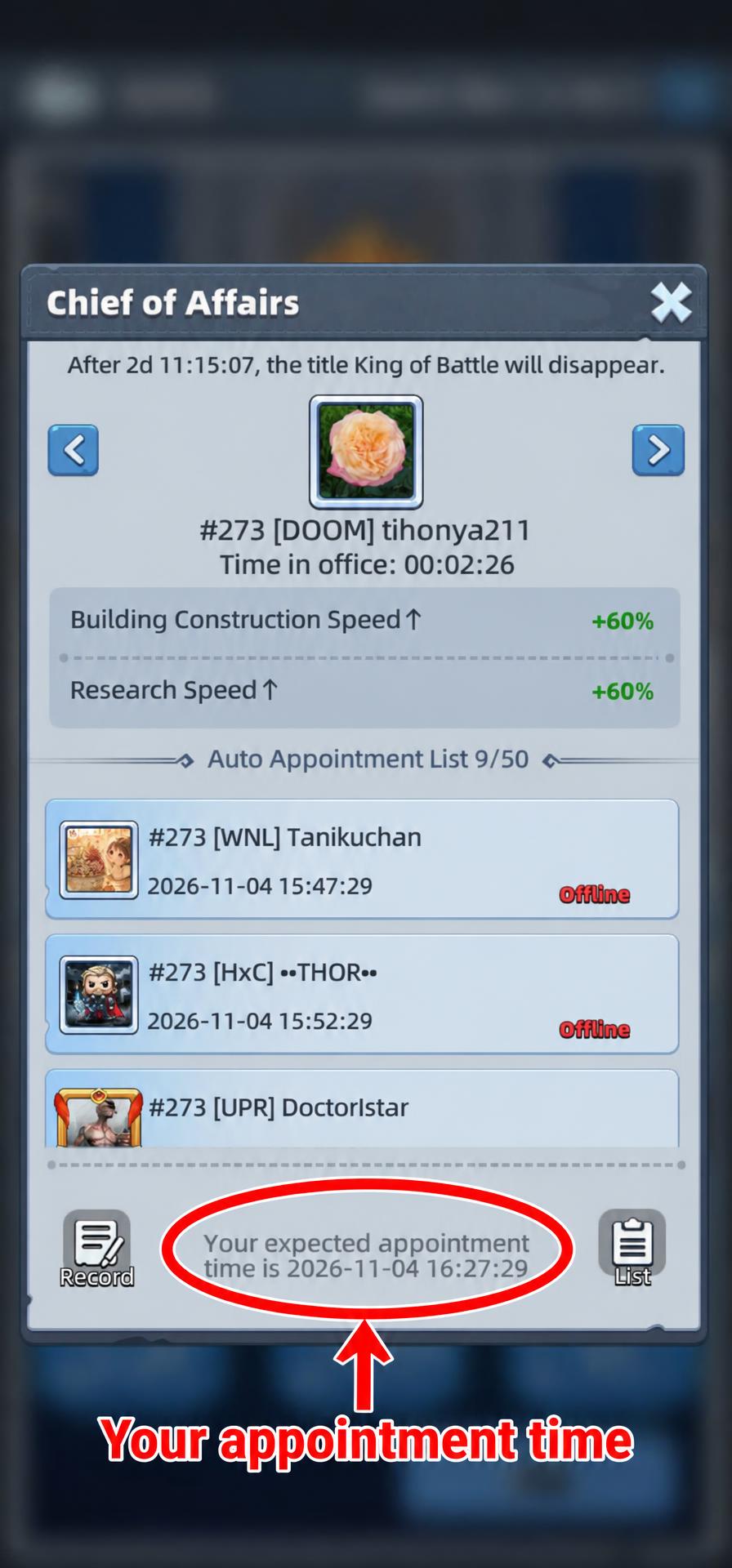
The red circle marks your expected appointment time — not the current official’s time in office.
Important: start your tasks while you hold the position
- When your appointment begins, confirm you hold the position, then start the relevant construction, research, troop training task for that position’s bonus.
- The bonus applies only to tasks started while you have the minister position. It does not apply to construction, research or troop training that was already underway before your appointment.
Start after your appointment begins
If you have a construction bonus, wait until you hold the position before starting the building upgrade. An upgrade you started earlier will not receive that minister bonus.
ARTICLE 01
Minister types
The positions shown on the Kingdom Official screen and how to choose the one you need.
Read articleARTICLE 02
Minister benefits
Check a position’s bonuses and start your tasks at the right time to receive them.
Read article